Skip to content

ServiceM8, set up the way your jobs run.

We're a ServiceM8 partner based near Geelong. We set up the account and train your crew. If you're a new subscriber, ServiceM8 credits what you pay us for setup and training back to your account, up to $2,000.

Call us
  • $2,000 back in setup rebates
  • 60 days to claim the rebate
  • 5.0 from 125+ Google reviews

Three ways ServiceM8 ends up unused.

An account set up in a spare evening usually gets dropped by the second busy week. It tends to stall in one of these three places.

The DIY setup

You signed up, added a few jobs and stopped at the settings you weren't sure about. Now some jobs live in ServiceM8 and the rest live somewhere else.

The untrained crew

You use it, but the crew still rings you for the address that is sitting in the job card.

The missing connections

Quotes go out from ServiceM8, invoices from somewhere else, and payments land in a third place. Nobody can see which finished jobs are still unpaid.

A half-set-up system
costs more than none.

You pay the same subscription whether ServiceM8 sends your quotes and invoices or sits there as one more thing to update.

What ServiceM8 does for a service business.

One app for the office and the crew, from the first call to the paid invoice.

Quotes accepted online

Build a quote on site or in the office and text or email it. The client accepts with a tap, and it becomes the job.

Scheduling the crew can see

Drag a job onto a person and a time. They're notified on their phone, and clients can be sent a booking link.

Everything about the job in one card

Address, notes, photos, forms and history, on the phone in the van. It works offline and syncs back in range.

Invoice and get paid on the spot

Finish the job, send the invoice and take card payment before you leave the driveway.

Connected to your accounts

Invoices and payments sync with Xero, MYOB or QuickBooks Online, so nobody types them in twice.

What it looks like in ServiceM8.

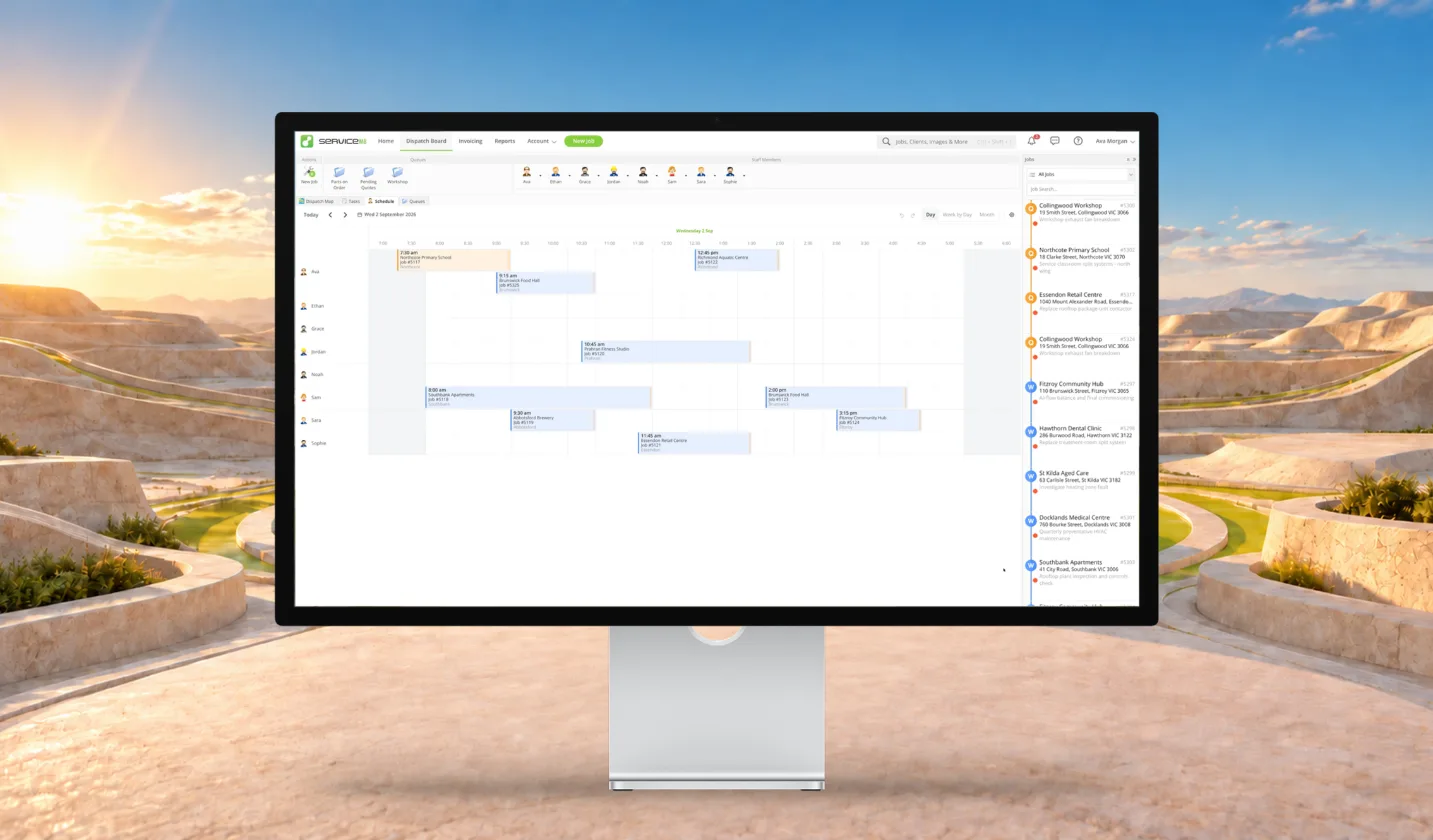
ServiceM8 dispatch board showing a day of jobs scheduled across each staff member
The office schedules the day on the dispatch board.
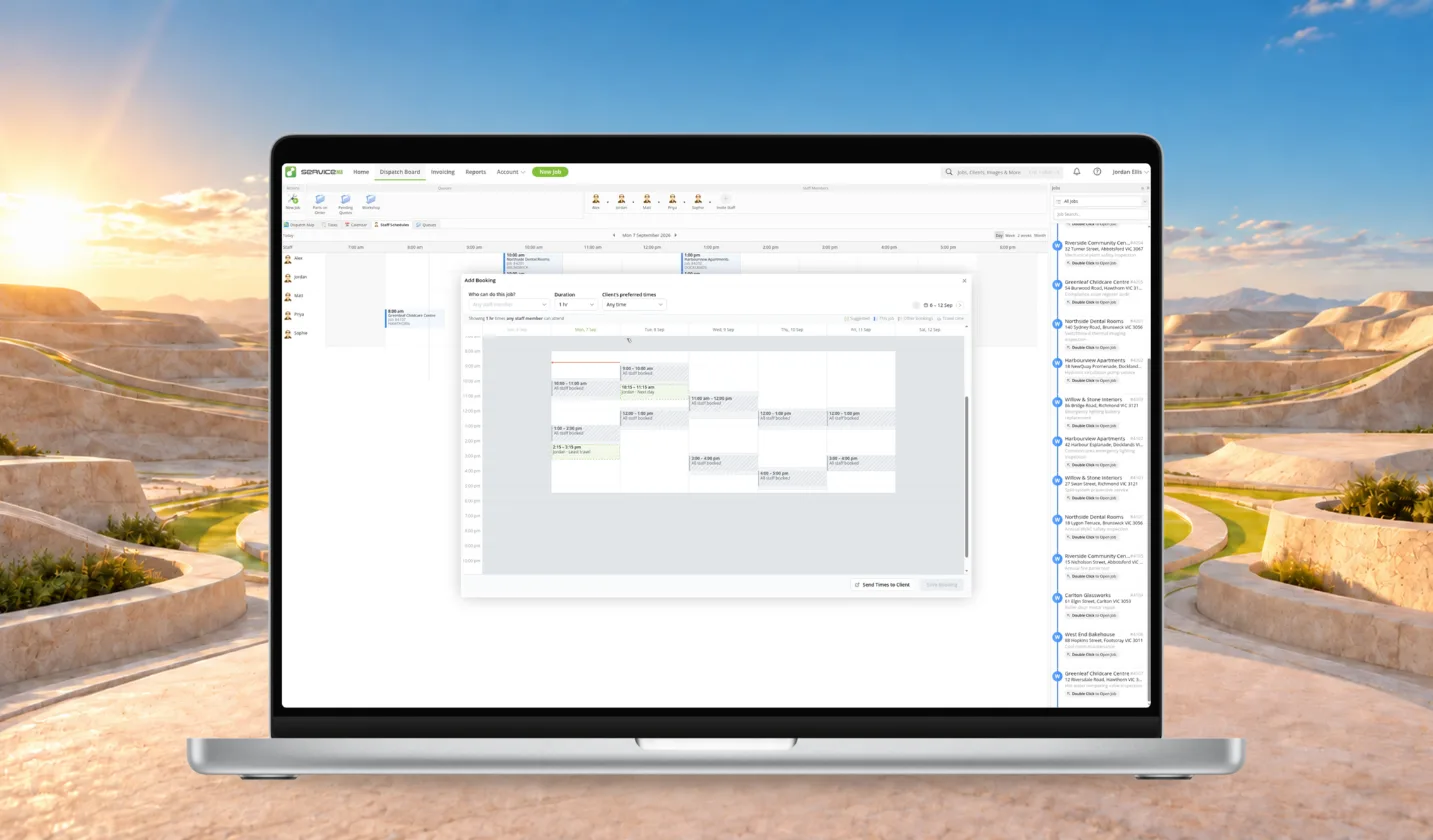
ServiceM8 booking window suggesting open times across the team for a new job
Book a job into the times your team actually has free.
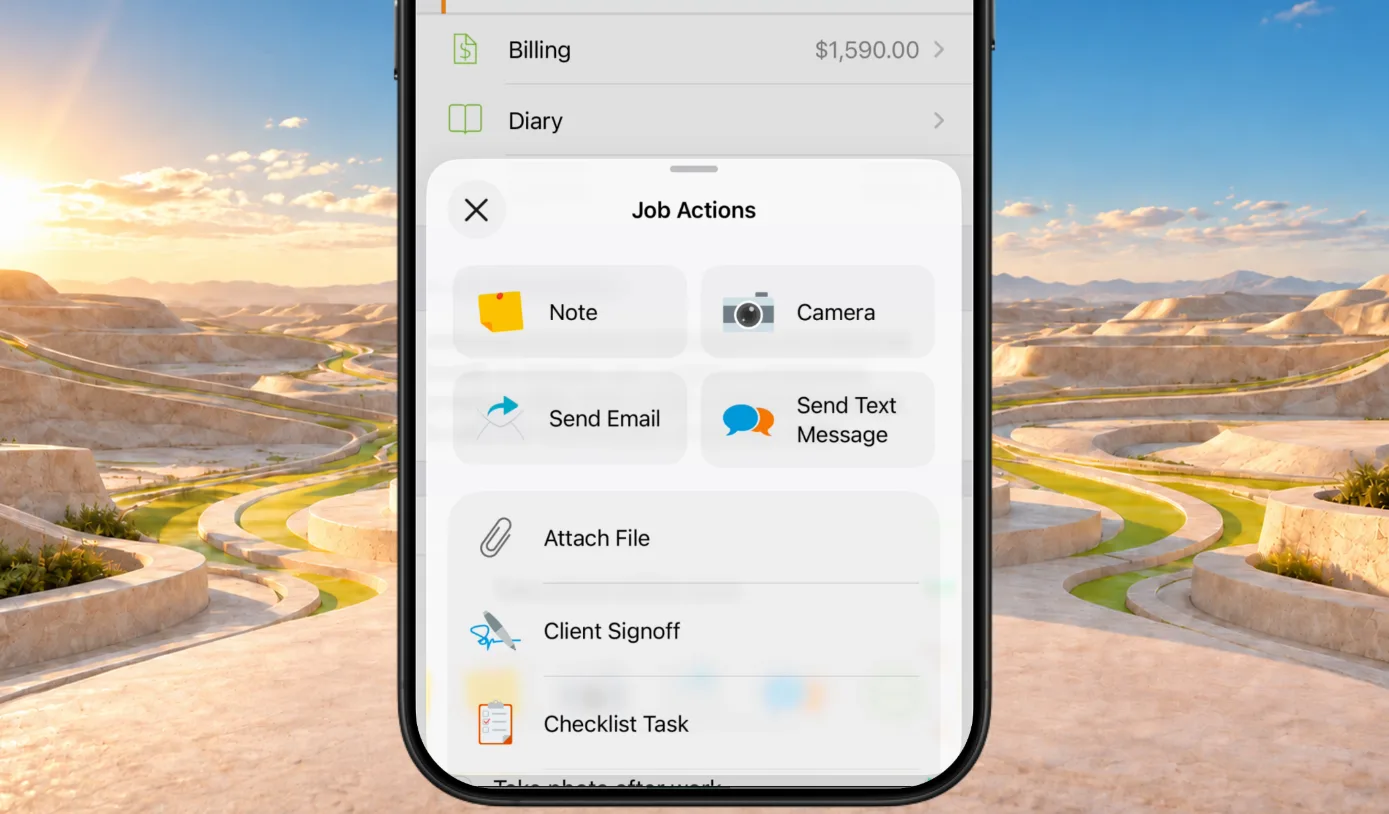
ServiceM8 phone app job actions: note, camera, email, text, attach file, client signoff and checklist
On site, the crew adds photos, notes and the client sign-off to the job.

We start with how your week runs.

We map how jobs come in, who does them and how they get billed, then configure ServiceM8 to match.

The DIY setup

We set up your services, staff, schedules, templates and forms to match how you run jobs.

The untrained crew

We train the people who use it every day on their own phones, using jobs from your actual week.

The missing connections

We set up quoting, booking, invoicing and payments inside ServiceM8. Accounting connections and any data migration get assessed first, then we agree what to connect.

The person who set it up is the person you call when something changes.

Ten years fixing IT for local businesses taught me the best work in town is often the hardest to find. Now Gemma and I make sure it gets found.

Brayden Marsh, Co‑founder

What we set up for you.

Setup and training for new accounts, and a tidy-up for accounts that never got finished.

Account setup

Your services, staff, job categories, statuses and schedule, configured to match how your business actually runs.

Templates and forms

Quote, invoice and job sheet templates in your branding, plus checklists and forms for the jobs you do every week.

Training for the office and the crew

On their own phones, using real jobs from your week, so everyone knows the parts they use.

Workflow consultation

We look at how jobs come in, get done and get billed, and tell you which ServiceM8 features are worth turning on and which aren't.

Payments and accounting connected

Card payments and your Xero, MYOB or QuickBooks link set up and tested before you rely on them.

Help when things change

New staff, a new service or a new template: the person who set it up is the person you call.

Getting started is three steps.

  1. Tell us how you run jobs

    A short chat about your week. We'll say what to set up first and what it covers.

  2. Start your ServiceM8 account

    Sign up through our partner link on ServiceM8's own website, not the App Store or Xero, so you're eligible for the setup rebate.

  3. We set it up and train the crew

    Then we help you claim the rebate within 60 days of subscribing.

Start your ServiceM8 account through our partner link

5.0 from 130 Google reviews

A few from the businesses we work with.

Read them all on Google
Brayden was fantastic to work with from our very first connection. He took the time to explain what he was doing, which helped me understand his work. He regularly checked in, provided updates, and worked with me to resolve any issues I had. My website is live now, and it’s all thanks to you.
Julie Whitehead Website
We have a family owned business that had a need for a personal, approachable and reliable person to reach out to for everyday problems we encountered. From upgrading to Windows 11, overseeing systems in our office and updating accounts Brayden was amazing. From one small family business to another, thank you.
Kellie Clark Family business IT
Brayden at Avera Co is an amazing IT professional. He has helped me to purchase a new laptop for my business and is only a phone call away if I need assistance. Brayden always returns my calls promptly and always finds a solution.
Judith Emond Business IT

ServiceM8 questions we get asked.

Job management software for trade and service businesses. It handles quotes, scheduling, job notes and photos, invoicing and payments, with the crew working from their phones.

Yes. ServiceM8 connects to Xero, MYOB and QuickBooks, so invoices and payments flow into your accounts without retyping.

ServiceM8's Setup & Training Rebate credits back what a new subscriber pays a ServiceM8 partner for first-time setup and training, up to $2,000. It arrives as account credit against your subscription, not cash, and draws down at 50% of your monthly fee until it runs out.

Subscribe to a paid plan through the ServiceM8 dashboard itself, not the App Store or Xero. Pay us for setup and training, then submit the paid invoice to ServiceM8 within 60 days of subscribing. We walk you through the claim as part of the job.

No. It only covers first-time setup and training for new subscribers. Work on an existing account is paid as normal.

It depends on the size of the crew and how much job history needs to come across. Most of the time goes on job stages, templates and training.

We quote our setup and training work after reviewing staff, workflows, templates and any data to bring across. The ServiceM8 subscription is a separate software charge. Ongoing support is a separate scope too. Eligible new subscribers can claim first-time setup and training spend as account credit up to $2,000, subject to the rebate conditions above.

Yes. We review what's there, fix the configuration, set up the parts you haven't used yet and train the crew.

Keep reading.

Make ServiceM8
earn its subscription.

Tell us how you run jobs now. We'll say what to set up first.

Call us

We reply within one business day.